Knowable identifies and removes contracts that are exact duplicates as the contracts are submitted into the platform.
-
Once the upload is complete, Knowable checks for exact copies of the submitted contract.
-
If Knowable locates a duplicate across your organization’s contracts, the recently uploaded contract is removed - as well as any intake form data or attachments (if applicable to your organization).
You will see the uploaded file name move from the In Progress to Completed section of the Upload page. Should we locate a duplicate contract, you will see that row updated with the following description “Duplicate Document Removed”. This message will be available for up to 3 days on the Upload page for your reference.
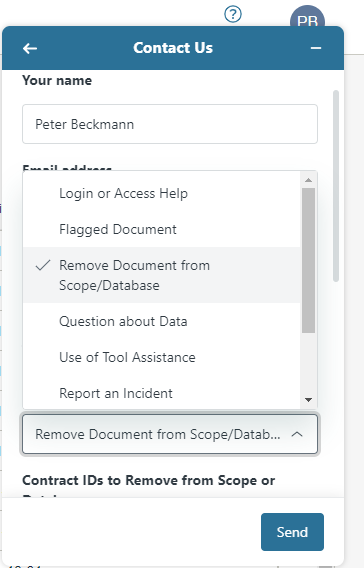
Please note: if you create a duplicate file by using “Save As” option, Knowable will not currently recognize this as a duplicate. If you need such a document removed, please contact Knowable Support by clicking on the Help icon and selecting Remove Document from Scope/Database.
Comments
0 comments
Please sign in to leave a comment.