Updated Date Filters
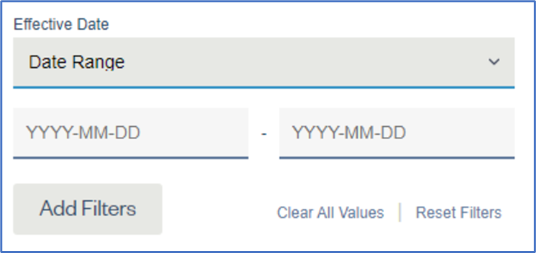
- We have incorporated a new design that makes it easier to filter on dates within KI.
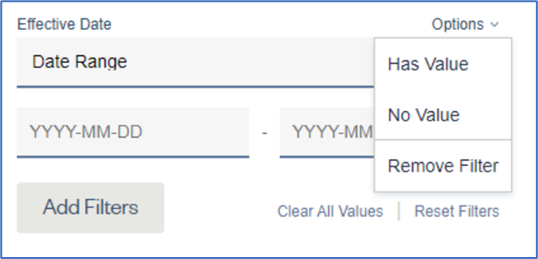
- We have added a new way to filter your data to find the presence or absence of a value within a field.
- This new filter option can be found by hovering your mouse over the upper right corner of a field in the Filter Panel.
- This new filtering option works in both the Contracts and Analytics tabs.
- Note: The option is (Has Value / No Value)
- In addition, if you want to remove a field from the Filter Panel, you can hover over the ‘Options’ dropdown and select the ‘Remove Filter’ option.
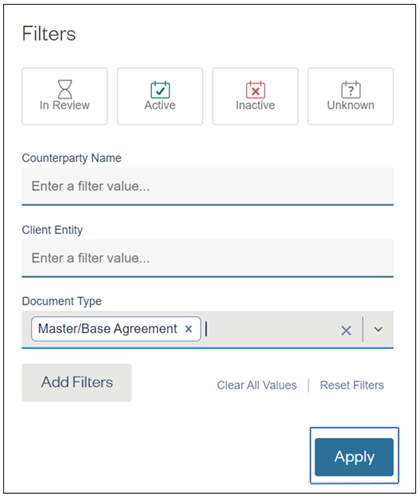
How to Apply a Filter:
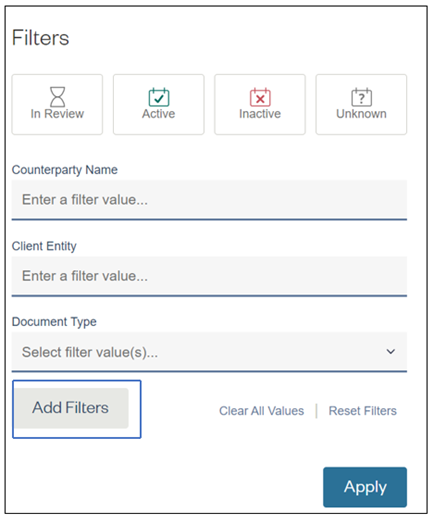
- Click on the ‘Add Filters’ button
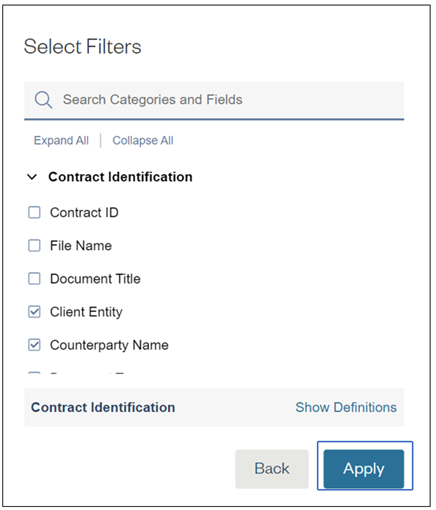
- Search and select the filter(s) to be applied and click on the ‘Apply’ button
- Choose your filter criteria and click on the ‘Apply’ button and your filter will be applied
Comments
0 comments
Please sign in to leave a comment.