Advanced Filtering in Analytics
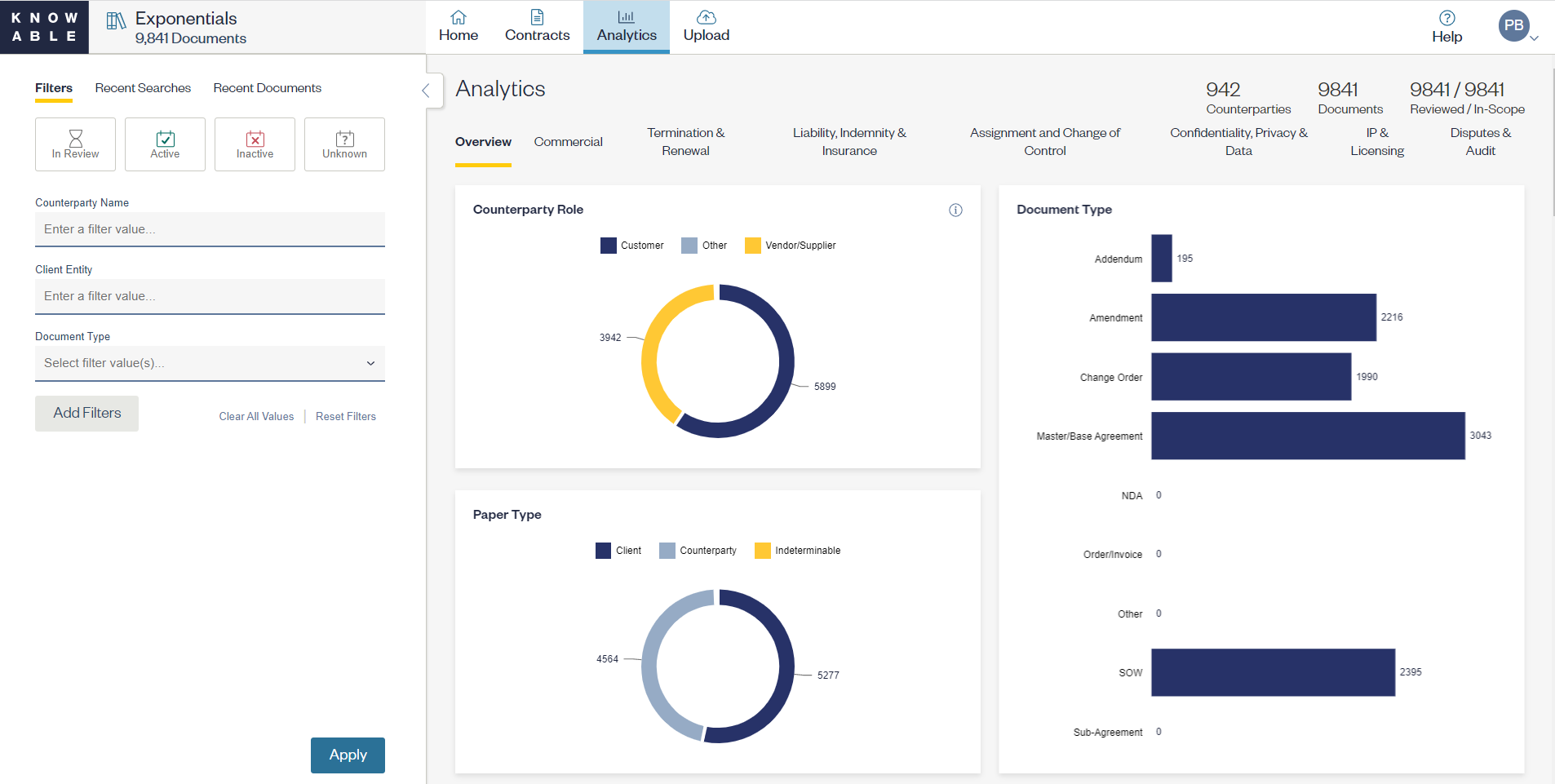
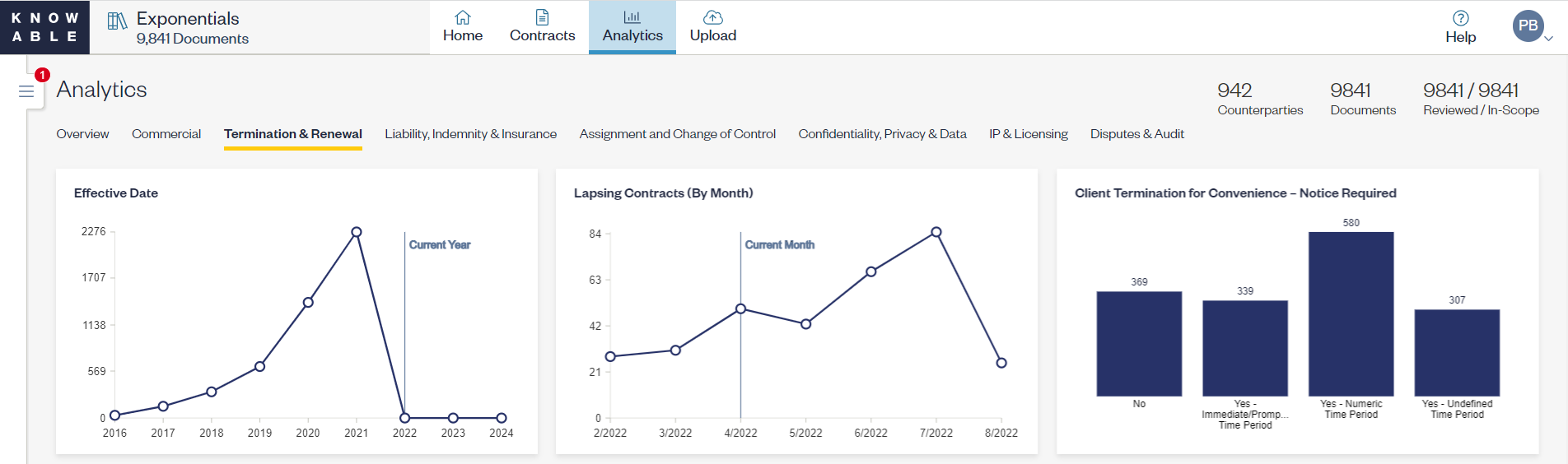
With this release, you have the power of your full data model when analyzing your contract portfolio. As seen in the pictures below:
- The KI filter panel now appears to the left of the Analytics charts
- You can expand or collapse the filter panel to suit your needs. An indicator will appear to note if filters are applied when collapsed.
- Filters are persistent between the Analytics and Contract tabs. If you applied a filter on Analytics and navigate to the Contracts tab, your selections will still apply.
- Applied filters will appear in the info panel for each chart.
You can use this to:
- Understand contract terms uploaded in the last month, quarter or year
- View analytics for a particular client entity or counterparty
- Understand your rights and obligations that apply to the active population versus the entire contract set.
Please note that tab filters are no longer supported.
Advanced Filtering View
Filter Panel Enhancements
Access Recent Searches and Documents via the Filter Panel
Previously, your recent activity (such as searches or viewed document) were accessible only via the Home page. The filter panel adds three tabs with this release: Filters, Searches and Documents. You can now quickly navigate to your recent searches or pull up a recently viewed document from the Contracts and Analytics tabs.

Understand if Filters are Applied with New Indicator
Whenever filters are applied on the Contract or Analytics Pages, we have added a red indicator to remind you of those applied filters when the panel is collapsed. This new indicator will show up to 9 applied filters. If you have applied more than 9 filters and collapses the filter panel, the indicator will show “9+.”
Comments
0 comments
Please sign in to leave a comment.