The Attachments Experience
With this release, Knowable has enhanced the attachments experience for our users:
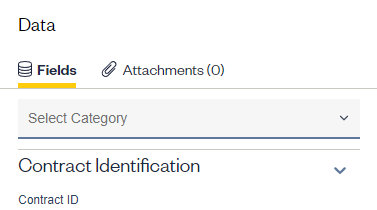
- Attachments are now located in the center panel on the Contract Details page. Click on the tab “Attachments” to access available documents.
- You can view if attachments are available, as well as how many are associated with the contract in the Attachments tab title.
- Upload information is visible for each attachment, including the name of the person who uploaded the document and the date of upload.
Minor Enhancements & Design Improvements
- Share documents is available from the Contract Preview windows accessible from the Contracts grid and the Family View
- You can collapse or expand the columns on the left in the Family View
- Access an improved ‘look & feel’ for the Customize Table feature
Comments
0 comments
Please sign in to leave a comment.