Filter Enhancements – Making Advanced Filtering Simpler
With this release, you can add filters more easily – viewing, searching and selecting all categories and fields at once.
What’s changed?
- Access the full filter set by clicking on “Advanced” (previously labeled “More”)
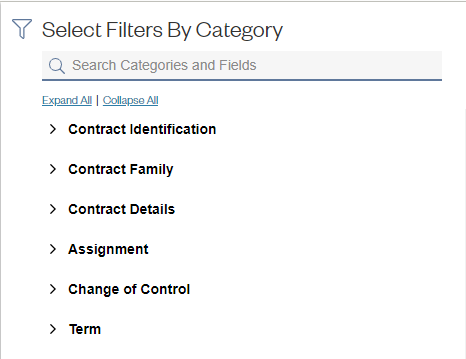
- View all categories and data in a single view – allowing you to quickly glance through the major contract concepts
- Click “Expand All” to reveal all field filters available – or “Collapse All” if you want to hide the fields
- Search across both categories and fields at the same time by entering the term you are looking for in the Search box at the top of the pane. For example, searching on “pay” will reveal a filter in the “Pricing Terms” category and the full field list for the “Payment Terms” category.
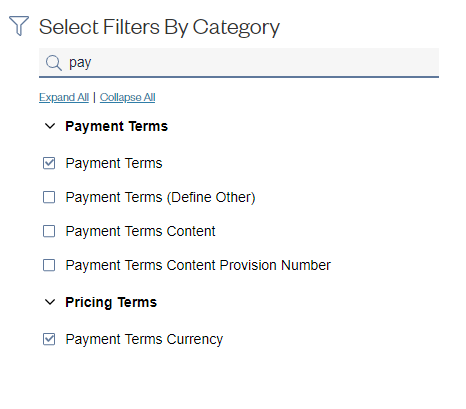
Once you click Apply, you can enter all the values you need to refine your search in the main filter pane.
Comments
0 comments
Please sign in to leave a comment.