There are three reasons why a field will be blank:
-
The document may not have been reviewed yet,
-
The field may not have been addressed in the document, or
- The field may not be part of the data model in that document.
Here are the steps you can take to determine which applies:
-
Check to make sure Knowable has completed its review (see this article).
-
For all document types, a choice of “N/A” will show in KI as a blank.
-
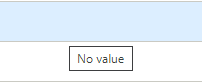
For ancillary agreements (non-Masters), fields are left blank if the field is not addressed in the document. For these documents, hovering your cursor over the blank field in the Contract Table view will show "No value."
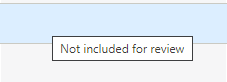
- If the field was not part of the data model for the document, hovering your cursor over the blank field in the Contract Table view will show "Not included for review"
Comments
0 comments
Please sign in to leave a comment.